Budgets

Real-Time AI Budget Controls: Pre-Flight Spend Limits & Token Quotas

Cloptima applies low-latency LLM budget checks in the request path and keeps the final usage trail ready for cost reporting.

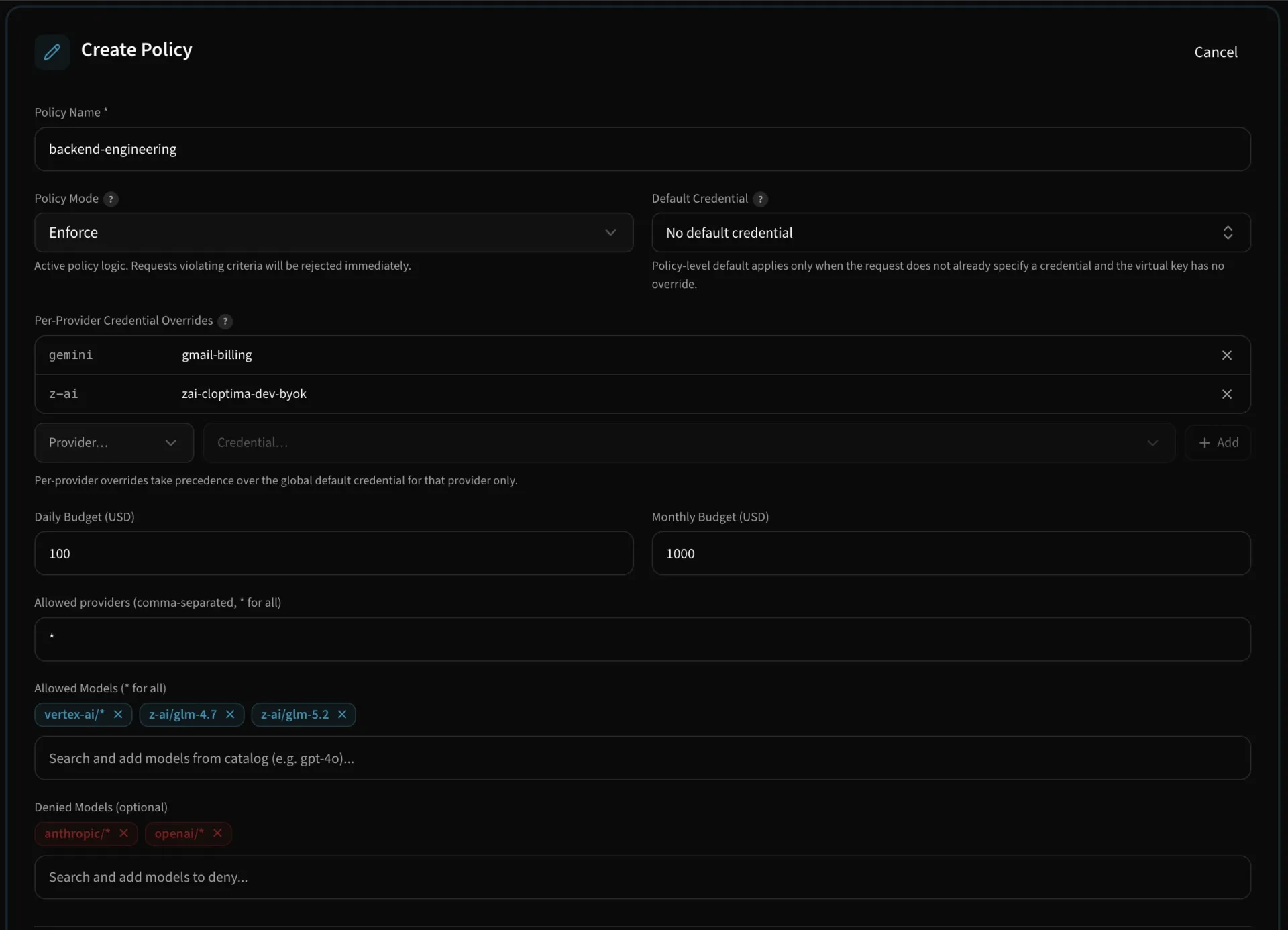
app.cloptima.ai/llm/policies
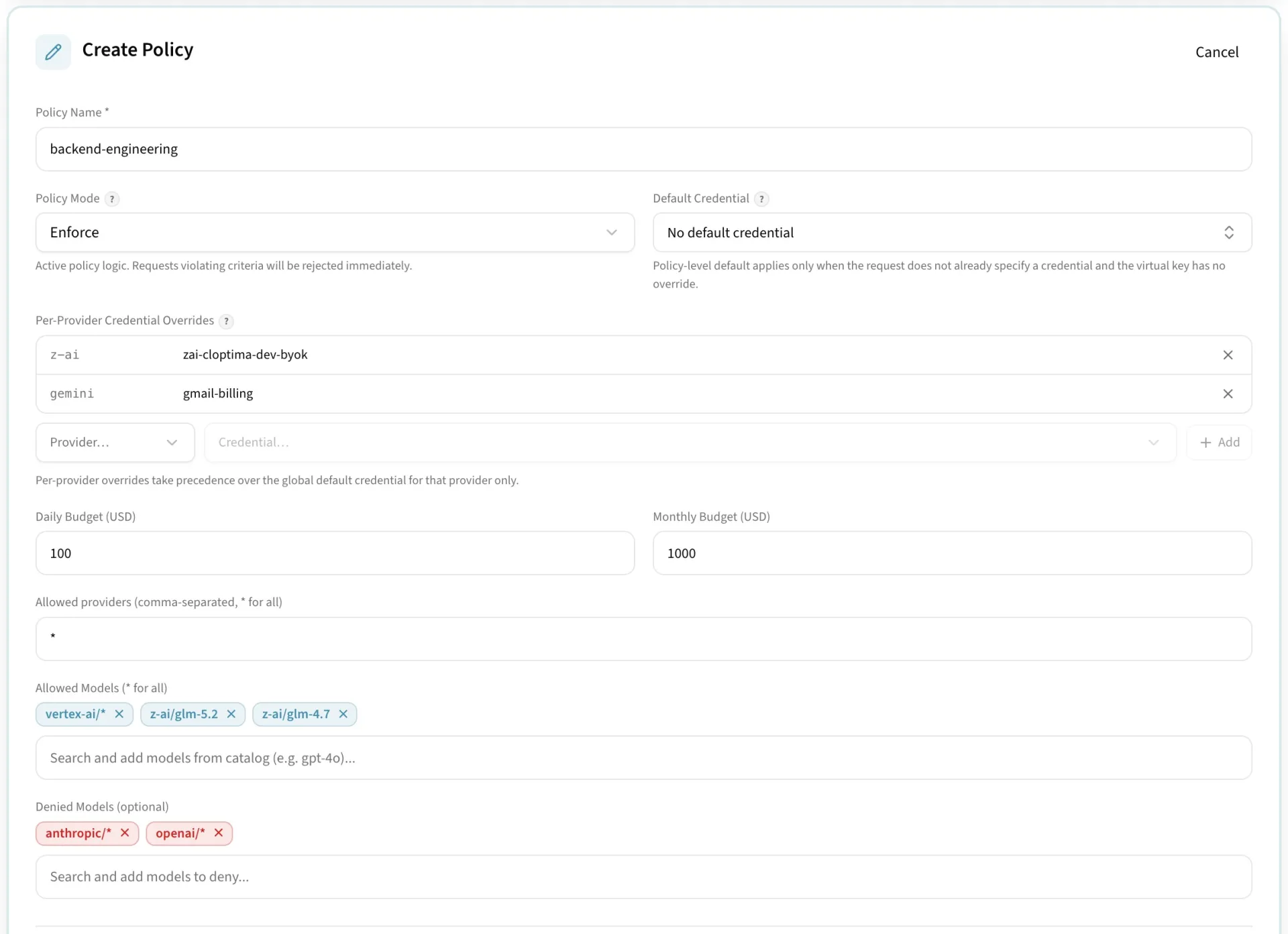
Gateway policies for providers, models, and spend
Approve providers, models, and spend scopes — enforced in the request path.
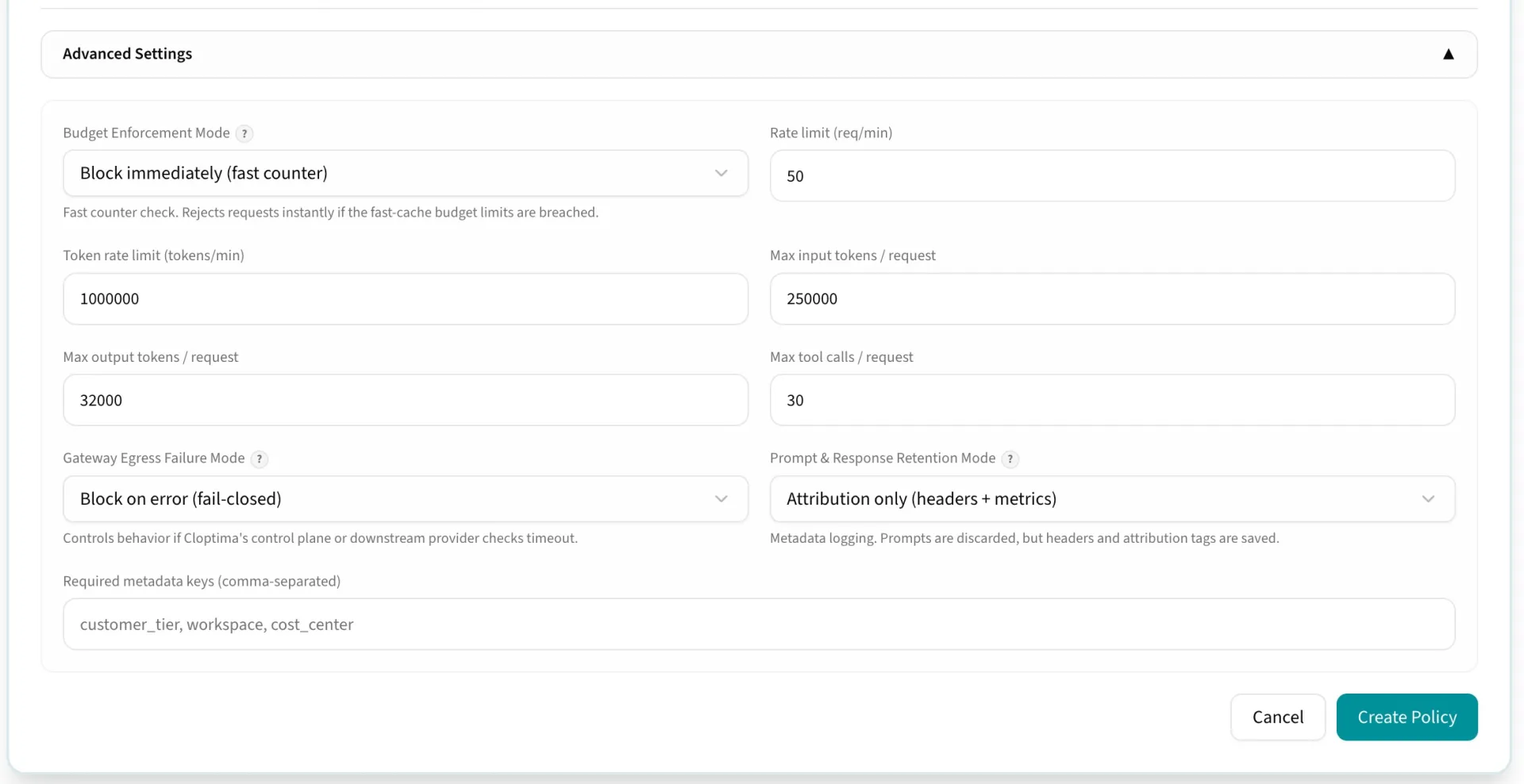
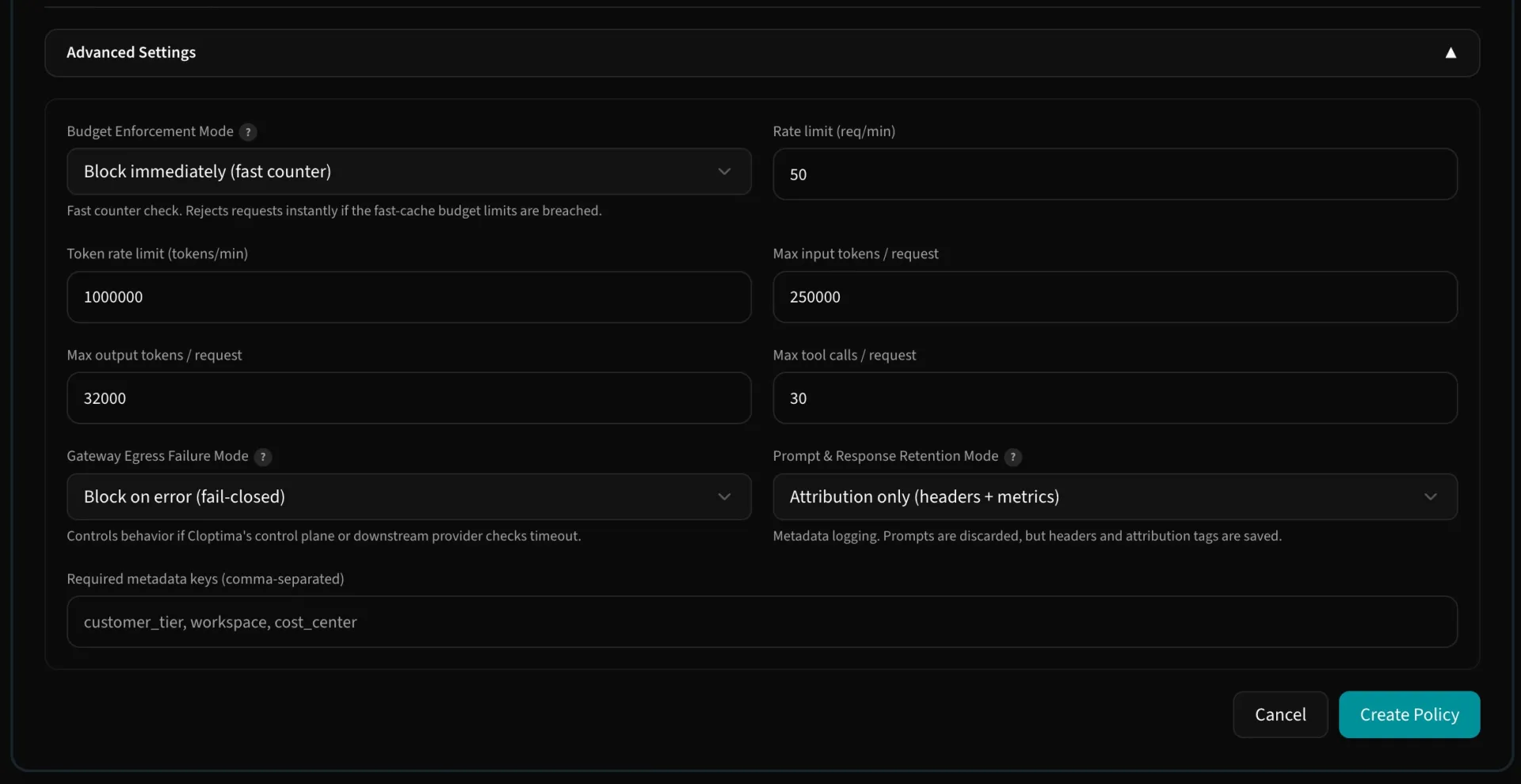
app.cloptima.ai/llm/policies
Rate limits, token limits, and request enforcements
Tighter controls: rate limits, token limits, and per-binding request enforcements.
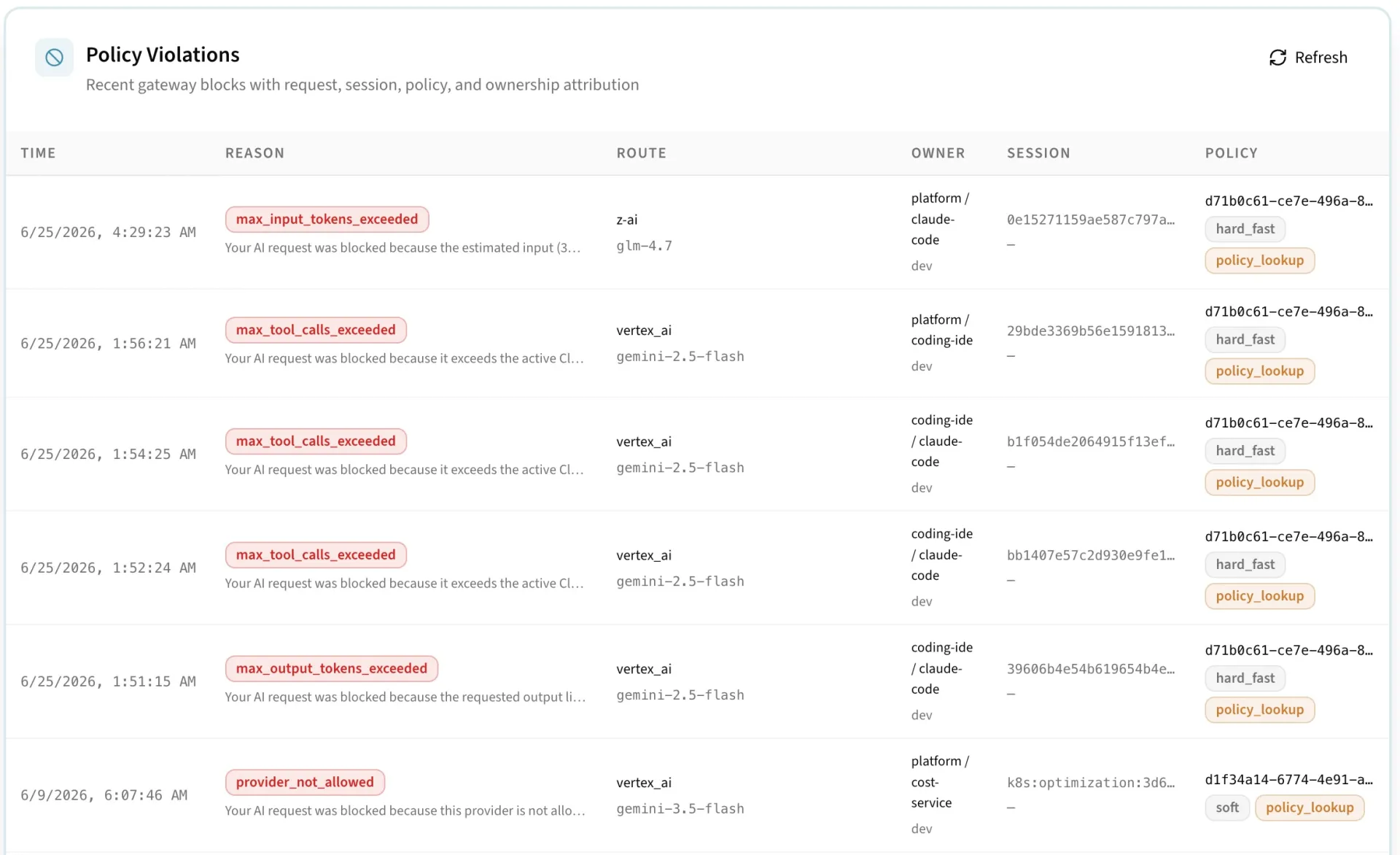
app.cloptima.ai/llm/policies
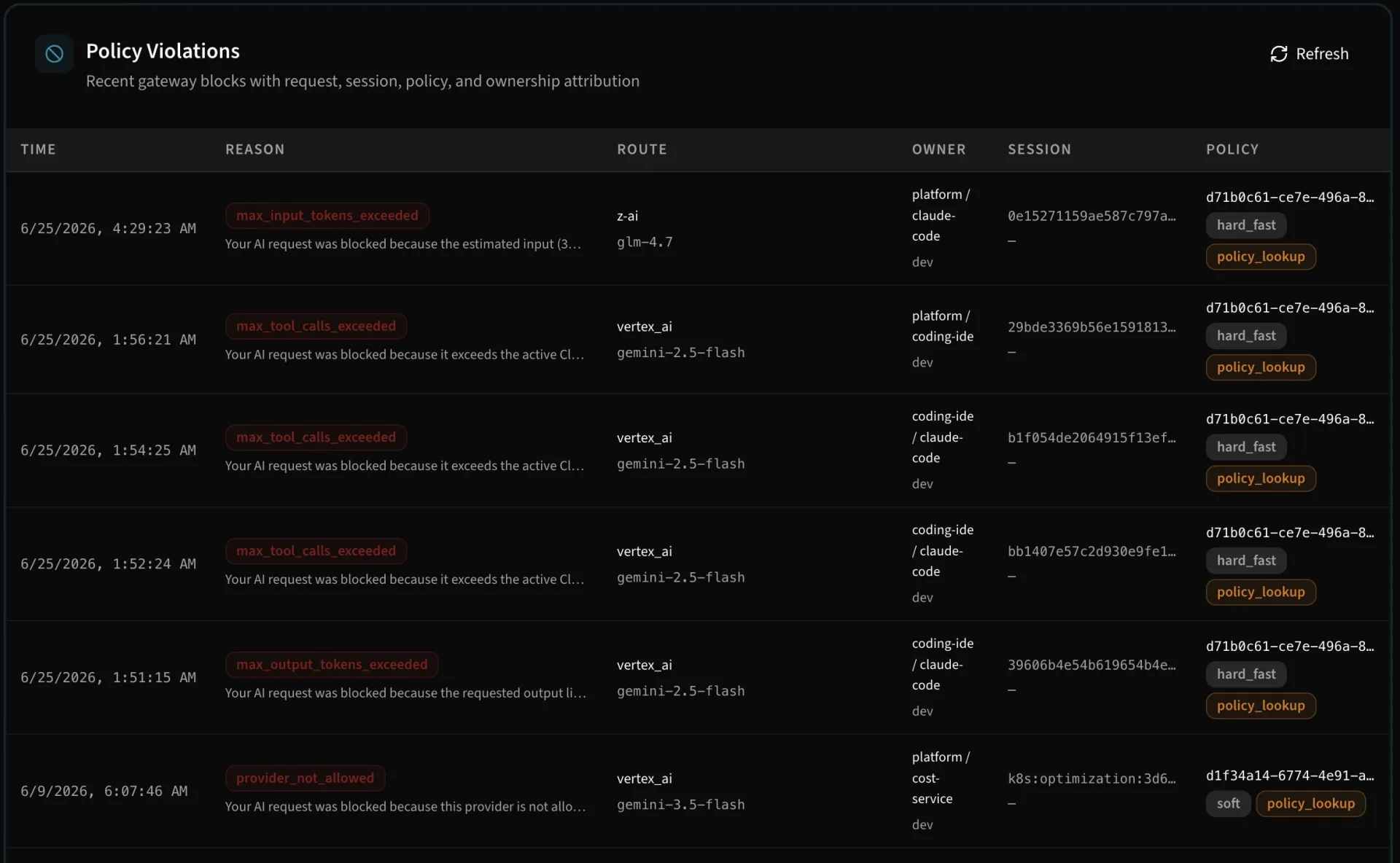
Recent policy violations blocked by the gateway
Recent violations — blocked before provider egress, with full context.
The problem

Alerts arrive after the spend already happened

Traditional budget alerts arrive after usage already happened. LLM workloads need controls that can stop runaway loops, unexpected model upgrades, and high-volume experiments before they become material spend.

How it works

Budgets enforced before the call, not after

Each request is governed by its winning policy plus the org baseline policy. The winning policy holds the budget for its team, app, environment, or key; the baseline can add one ceiling on all AI gateway spend in the organization. Cloptima reserves a request's estimated cost before the call and settles the actual cost after the response, so the budget always reflects what is in flight.

  • Daily and monthly budgets per team, app, environment, or virtual key
  • One org-wide ceiling on all AI gateway spend, set on the org baseline policy
  • Alert only or Block at the budget, chosen per policy
  • The same budgets enforced on the cloud gateway and every edge gateway
  • Agent session and run-level governance
Day one

Limits first, approval gates second

Create default development limits, protect production with higher thresholds, and require approval before teams use expensive models or unusually large context windows.

Architecture

Reserve, then finalize

Budget enforcement is built around fast pre-flight checks, durable reservations, and usage finalization. That lets Cloptima avoid relying only on delayed logs or monthly provider exports. Edge gateways in your network draw a share of the same budget and enforce it locally, so one budget holds across every place your traffic runs.

Developer quickstart

Keep your SDK, change the base URL

The gateway speaks the OpenAI and Anthropic protocols. Point your existing client at it and add attribution headers.

bash
curl https://api.cloptima.ai/v1/ai/chat/completions \
  -H "Authorization: Bearer $CLOPTIMA_PAT" \
  -H "X-Cloptima-Team: data-platform" \
  -H "X-Cloptima-App: record-enrichment" \
  -H "X-Cloptima-Environment: production" \
  -H "Content-Type: application/json" \
  -d '{"model": "gpt-5.6-luna", "messages": [{"role": "user", "content": "Classify record batch"}]}'

# When daily/monthly budget ceiling is exhausted, gateway rejects pre-flight (0 provider spend):
# HTTP/1.1 403 Forbidden
# {"error": "Daily budget limit exceeded", "reason": "gateway_daily_budget_exceeded", "violations": ["gateway_daily_budget_exceeded"]}
Get started

Launch path

Define policy scopes, set monthly and daily limits, bind policies to virtual keys or teams, and review over-limit events from the audit view.

FAQ

Questions teams ask

Put your first governed call through in five minutes

Point your SDK at the gateway, bind a policy, and watch the first call land on the ledger.

No credit card required
5-minute setup
Free trial